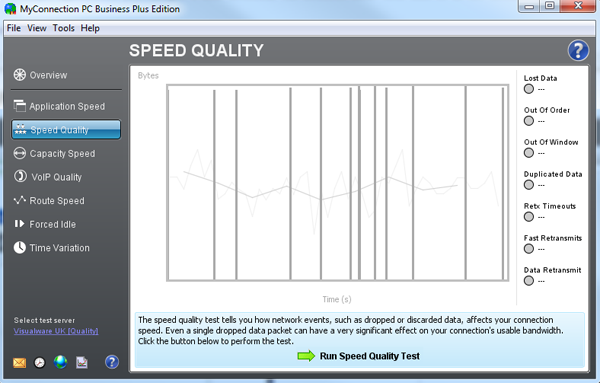
To perform the speed quality test click the button as shown in the image above. When the test has finished the results will be displayed, as shown below:
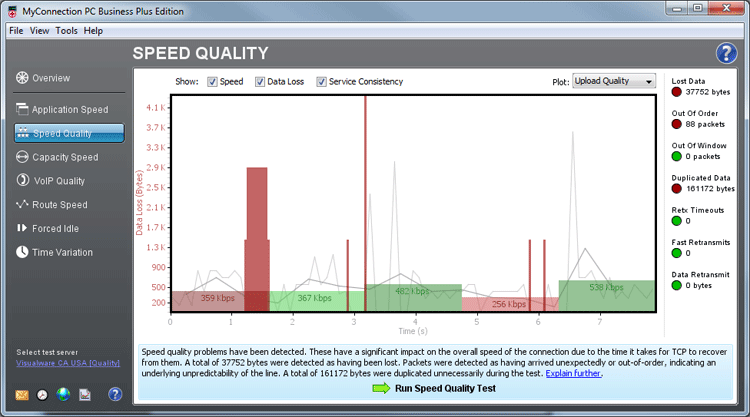
The light greyed out lines on the graph are the results of the speed test to give the user an idea of when certain events occurred. They should match the application speed test results.
The green and red bars on the graph indicate the speed consistency (quality) of the test. How smoothly data flows across the connection, determines the speed consistency result. If a connection has quality problems caused by congestion (oversubscribed) or regulation (ISP policy management) then the data flow will be erratic, fast one minute and then slow the next.
The tall dark red bars on the graph indicate data loss. Data loss can vary in type. These types are explained below:
Lost Data: Reports the number of bytes that were sent but failed to arrive at the destination. Lost bytes are a sign of a very serious congestion problem or a regulatory policy problem.
Out of Order: Reports the number of bytes that have arrived out of order. This occurs when packets are delayed or more importantly lost. Out of order packets slow throughput because TCP cannot process data out of order.
Out of Window: Reports the number of bytes that arrive outside the current TCP valid data window and are therefore thrown away as they cannot be used. If packets arrive outside the current window it indicates a serious problem with duplicate packets. Data should never arrive outside the TCP Window.
Duplicated Data: Reports the number of bytes received at the destination more than once. Duplicates are usually caused when a connection displays highly erratic latency end-to-end.
ReTx Timeouts: A timeout only occurs when the maximum amount of time allocated to a packet sent expires because the packet has not been acknowledged. Timeouts are very costly in performance and should never occur on a well-run network.
Fast retransmits: A fast-retransmit occurs when the sending end receives 3 duplicate acknowledgements for a packet. When this happens the sender of the data tries to avoid a packet timeout event by resending the offending packet. This is done because a timeout event for a packet is very costly in performance and should be avoided at all costs. Fast-retransmits can cause duplicates if the packet was just delayed not lost.
Data retransmit: Reports the number of bytes that have been retransmitted. This occurs when packets are delayed or more importantly lost. If you are getting fast-retransmits or retransmit timeout events, it shows bad quality events but timeouts can cause extreme problems. |